Working with Query Filters
You can filter any LinePulse query tree to limit the number of signals displayed. This makes it easier to find specific signals or signal types.
To filter a query tree
Click
 .
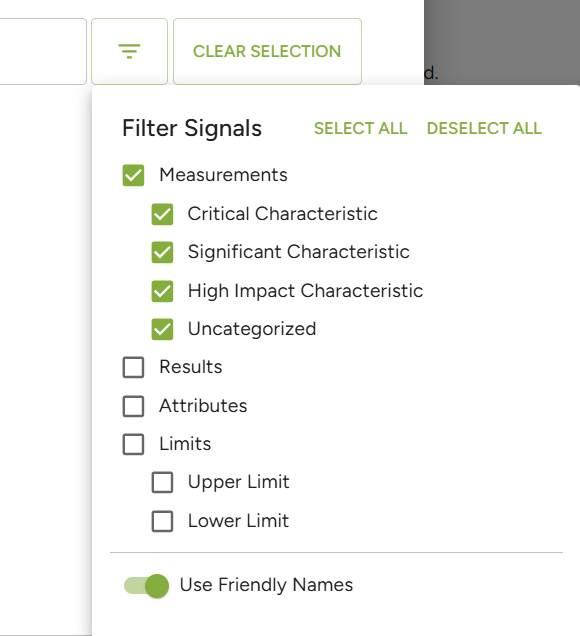
The Filter Signals popup menu appears.
Select the signal types you wish to include in the query tree.
Click anywhere outside the Select Signals popup menu to close it.
LinePulse applies the selected filter. Only signals matching at least one of the selected criteria will appear in the query tree.
tip
Click SELECT ALL to select all signals or DESELECT ALL to select none.
note
Some query tree filters provide the option to view Friendly Names for any signal that has one.